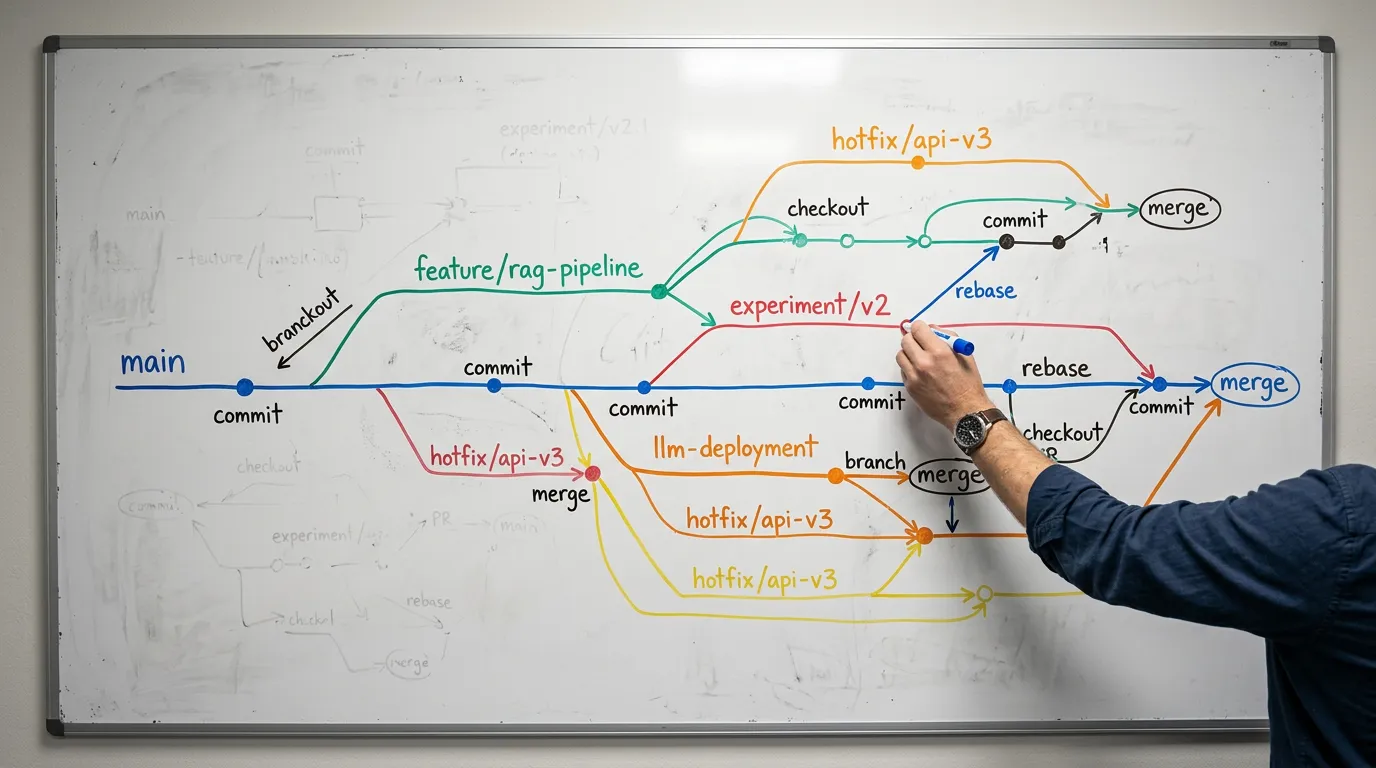
Git Workflows for AI Codebases: Taming Large Files, Experiments, and Config Drift
Standard Git workflows were designed for source code. AI codebases are not standard. They accumulate 500MB model checkpoints, FAISS index files measured in gigabytes, .env files with production API keys, Jupyter notebooks that create merge conflicts on every cell execution, and experiment branches that multiply faster than anyone can review them.
If you apply the same Git practices to an AI project that you would to a web application, you will end up with a repository that takes 20 minutes to clone, a commit history polluted with binary file changes, and at least one incident where someone accidentally pushed an API key to a public repo. This guide covers the Git strategies that prevent those outcomes.
The AI-Specific .gitignore
Every AI project needs a .gitignore that goes far beyond the standard Python template. The file types unique to AI projects include model weights (.bin, .safetensors, .gguf, .pt, .onnx), vector index files (.faiss, chroma_db/, *.index), large dataset files (.csv beyond a certain size, .parquet, .jsonl dumps), and environment files (.env, .env.local, .env.production).
The critical addition that most teams miss is Jupyter notebook outputs. Notebooks with executed cells contain output data, including potentially sensitive query results, API responses with real data, and rendered visualizations. Adding *.ipynb to .gitignore is too aggressive (you lose the notebook structure), but you should configure a pre-commit hook that strips cell outputs before committing. The nbstripout tool handles this automatically.
The .env.example pattern deserves special attention. Never commit .env files, but always commit a .env.example file that lists every required environment variable with placeholder values. This serves as living documentation for new team members and CI/CD configuration. When you add PINECONE_API_KEY to your pipeline, the .env.example update in the same commit ensures nobody has to guess what environment variables your code requires.
Git LFS for Model Artifacts
Git Large File Storage (LFS) replaces large files in your repository with lightweight pointer files while storing the actual content on a remote server. For AI projects, this is essential for any file that regularly exceeds 50MB.
The setup involves initializing LFS in your repository and configuring track patterns for the file types you expect: git lfs track "*.bin" "*.safetensors" "*.faiss" "*.onnx" "*.pt". The .gitattributes file that LFS creates must be committed to the repository so that every team member's clone automatically uses LFS for these patterns.
The practical consideration most guides overlook is LFS storage costs. GitHub, GitLab, and Bitbucket all meter LFS bandwidth and storage separately from regular Git. For a team that frequently iterates on model files, these costs can become significant. The production pattern is to track only the model files that are essential for reproduction (fine-tuned weights, custom embedding models) and store everything else (pre-trained base models, downloaded checkpoints) in a separate artifact store like S3, GCS, or OCI Object Storage, referenced by a manifest file in the repository.

Branching Strategy for ML Experiments
AI projects generate experiment branches at a rate that would alarm any traditional software team. A developer testing three different chunking strategies, two embedding models, and two retrieval configurations can easily create a dozen branches in a single sprint.
The recommended pattern uses a prefix-based naming convention that makes branch purpose immediately clear: experiment/ for short-lived experiments that may never merge, feature/ for production-bound features, and hotfix/ for production incidents. Experiment branches are expected to be deleted after their results are captured. Feature branches follow standard pull request review.
The critical discipline is separating experiment tracking from code versioning. Git tracks code. Experiment results (metrics, evaluation scores, comparison tables) belong in a dedicated tracking system like MLflow, Weights & Biases, or even a structured spreadsheet. The mistake teams make is committing experiment results to Git, which pollutes the history and makes branches difficult to compare.
For the commit messages themselves, the conventional commits format (feat:, fix:, docs:, refactor:) extends naturally to AI projects with additions like experiment: for experimental changes, data: for data pipeline modifications, and prompt: for prompt template changes. The value is not the format itself but the fact that a structured commit history lets you trace when a specific prompt change was introduced, making regression debugging dramatically faster.
Pre-Commit Hooks for AI Repos
Pre-commit hooks are your automated safety net. For AI projects, the essential hooks go beyond linting and formatting.
Secret detection: The detect-secrets hook scans staged files for patterns that look like API keys, tokens, and passwords. A single leaked ANTHROPIC_API_KEY in a public repository costs money immediately and requires emergency rotation.
Notebook output stripping: The nbstripout hook removes cell outputs from Jupyter notebooks before commit, preventing accidental exposure of data and keeping notebook diffs meaningful.
Large file detection: A custom hook that warns when files above a size threshold (e.g., 10MB) are being committed without LFS tracking. This catches the case where someone adds a model file to the staging area without realizing it needs LFS.
Ruff linting and formatting: Running Ruff as a pre-commit hook ensures every commit meets your project's code quality standards before it reaches the remote repository.
Key Takeaways
AI codebases require Git workflows that account for large binary files, rapid experiment branching, and the constant risk of secret exposure. A comprehensive .gitignore with AI-specific patterns, Git LFS for model artifacts with a cost-aware storage strategy, prefix-based branching that separates experiments from production features, and pre-commit hooks for secret detection and notebook sanitization form the foundation. The teams that maintain clean, navigable AI repositories are the ones that can trace production issues to specific commits, reproduce any previous model state, and onboard new engineers without a week of archaeology.
⚡ Version note: Git LFS is stable and widely supported across hosting platforms. Pre-commit hook tools like detect-secrets and nbstripout evolve independently. Always check their respective repositories for current installation instructions.
Frequently Asked Questions
What belongs in an AI project's .gitignore?
Beyond the standard Python template, exclude model weights (.bin, .safetensors, .gguf, .pt, .onnx), vector index files (.faiss, chroma_db/, *.index), large datasets (.parquet, .jsonl dumps, oversized .csv), and environment files (.env, .env.local, .env.production). Rather than ignoring notebooks entirely, strip their cell outputs with nbstripout, and always commit a .env.example listing required variables with placeholder values.
When should you use Git LFS, and how do you control its cost?
Use Git LFS for any file that regularly exceeds 50MB. Track patterns with git lfs track and commit the .gitattributes file so every clone uses LFS automatically. Because hosts meter LFS storage and bandwidth separately, track only the model files essential for reproduction (fine-tuned weights, custom embedding models) and store the rest — base models and downloaded checkpoints — in a separate artifact store like S3, GCS, or OCI Object Storage, referenced by a manifest in the repo.
How should you branch for ML experiments?
Use a prefix-based naming convention: experiment/ for short-lived experiments that may never merge, feature/ for production-bound work, and hotfix/ for incidents. Keep experiment results (metrics, evaluation scores) in a dedicated tracker like MLflow or Weights & Biases rather than committing them to Git, and extend conventional commits with experiment:, data:, and prompt: so you can trace when a specific change was introduced.
Which pre-commit hooks matter for AI repos?
Four go beyond linting: detect-secrets to catch API keys and tokens before they leak, nbstripout to strip Jupyter cell outputs, a large-file detector that warns when files above ~10MB are staged without LFS tracking, and Ruff for linting and formatting so every commit meets your code-quality bar.
Follow Usama Nawaz for weekly deep dives on building production grade AI systems.